How to use Instagram Insights to grow your Instagram account.
Quick tour of the new Instagram insights
First of all, if you don’t have access to Instagram insights, go and set it up now! All you need to do is to create a business profile for your Instagram account and you will have access to Insights.
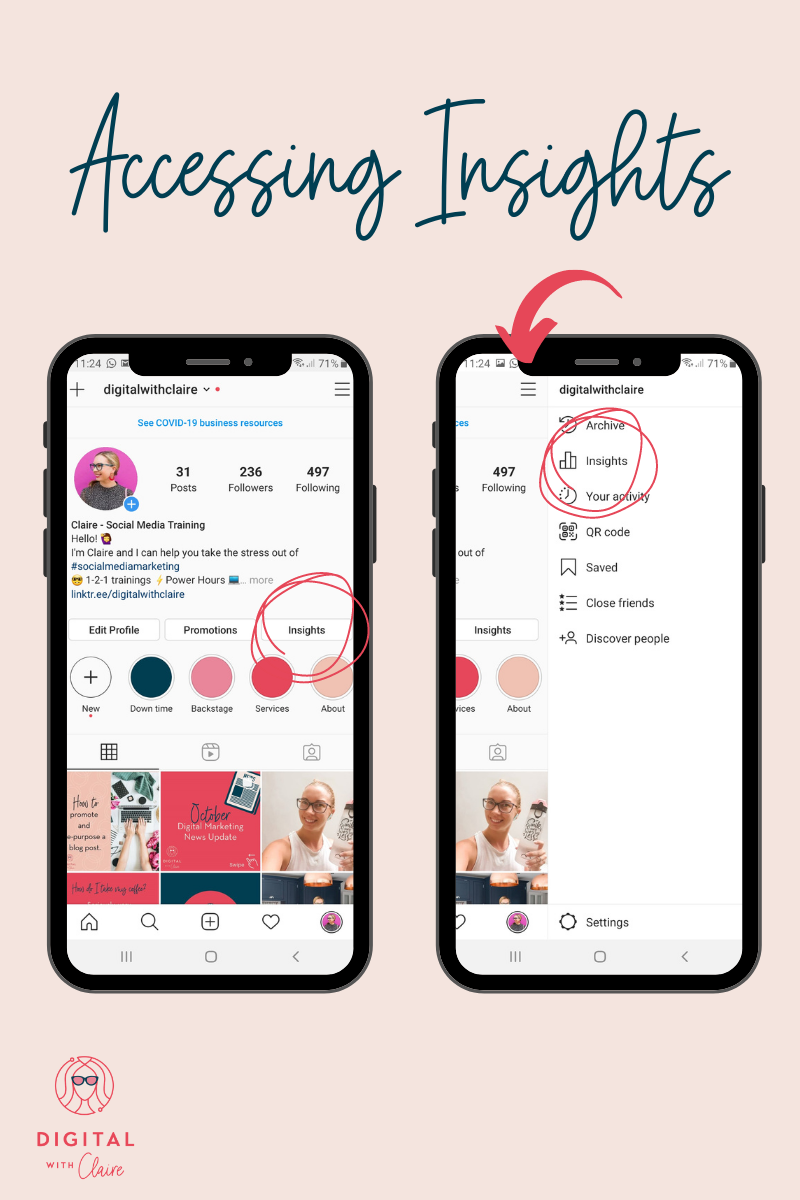
To access Insights, either go to your profile and click the Insights button, or click the menu stack followed by Insights.
Overview
In this section, you can access 3 metrics:
-
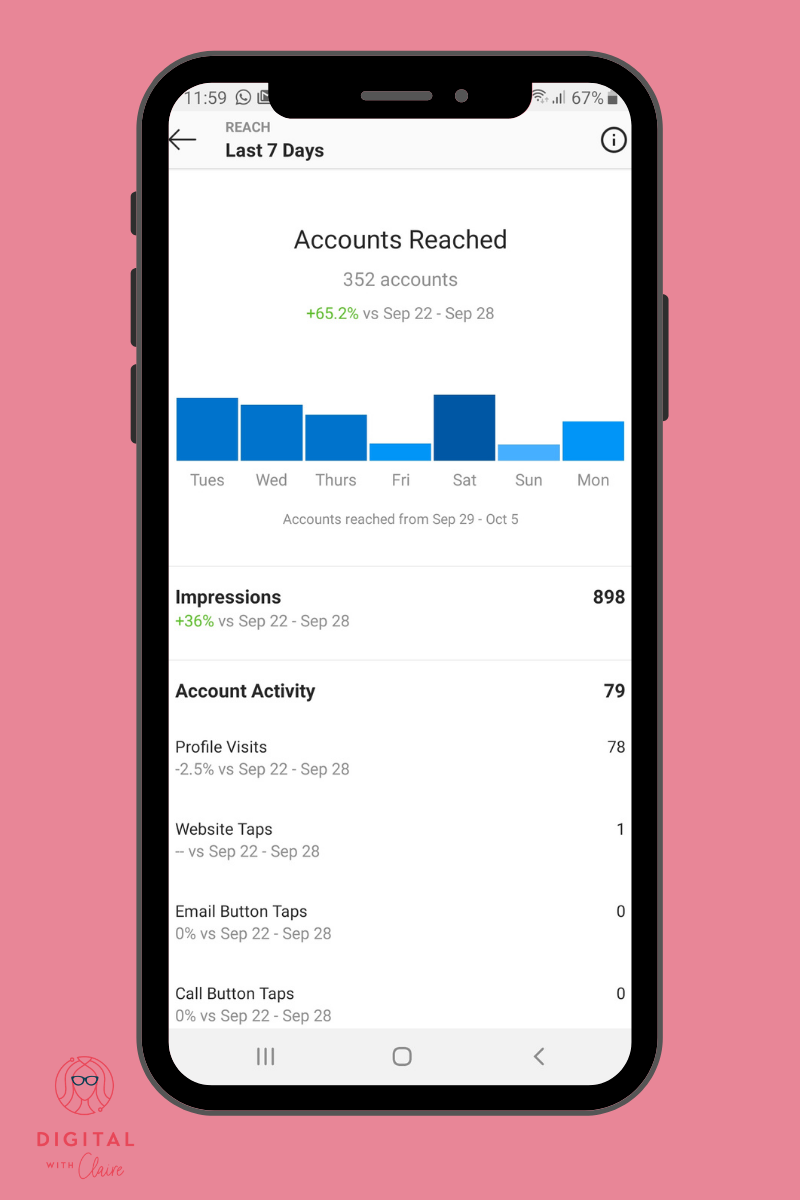
Reach: shows you the number of people who have seen your post. It also tells you which days your reach was the highest, usually this will be the case for days when you have posted, highlighting the importance of regular posting.

-
Content interaction: which includes likes, comments and saves. This is very important as this is what the Instagram algorithm takes into account when serving your posts to the feed. Insights gives you the % difference in interactions in the last 7 days vs the previous 7 days. This is interesting because you get a glimpse of how well your account has performed before diving deeper into the individual posts.
-
Followers: I always say you shouldn’t base your Instagram success on the number of followers but on their quality. So here are some metrics I recommend looking at within the follower metric to evaluate their quality:
-
Make sure you are not getting too many unfollows. This could mean your posts don’t reflect what you describe in your bio or it could mean that you are following the wrong accounts, because they might have followed you back automatically but once they start seeing your content, they unfollow you.
-
Check that demographics (locations, age and gender) match your target audience. If not, you should review the types of accounts you follow (are they your target audience?), review your posts (would your target audience find them interesting?) and review your hashtags (are they right for your audience?).
-
Look at your audience’s most active times and make sure you are posting at the times your audience is most active on Instagram.
-
Content you shared
This section lets you drill down into the specific posts, stories, videos you shared to find out which ones are performing best.
Under the post section, you can filter by type of post ( photo, video, carousel), you can select a metric and select a time period.
Post are shown from highest to lowest for each metric.
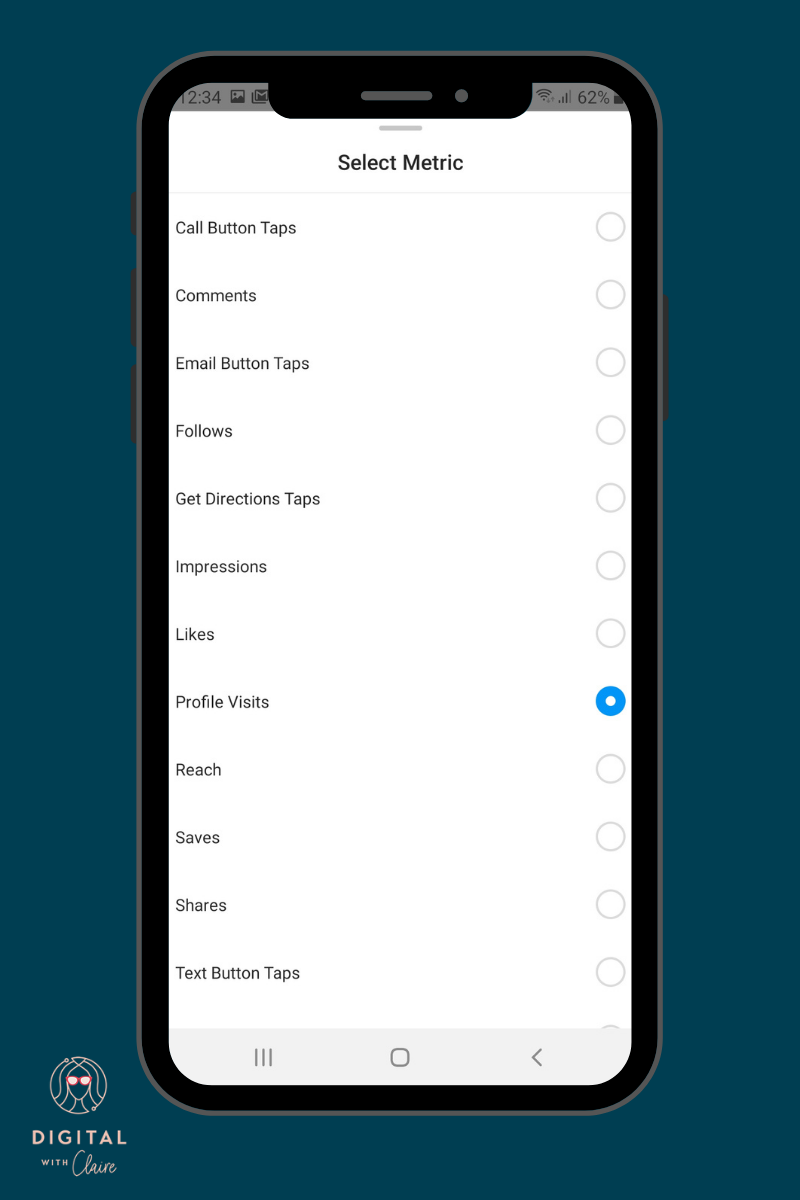
You have 13 metrics to choose from, so the first metrics I would recommend looking at are:
-
Interaction type metrics: comments, saves and likes
-
Follow: This tells you that an account found you with this post, probably with one of the hashtags you used
-
Conversion metrics: Call button, email button and website taps: this represents direct conversions coming for these posts.
Post insights
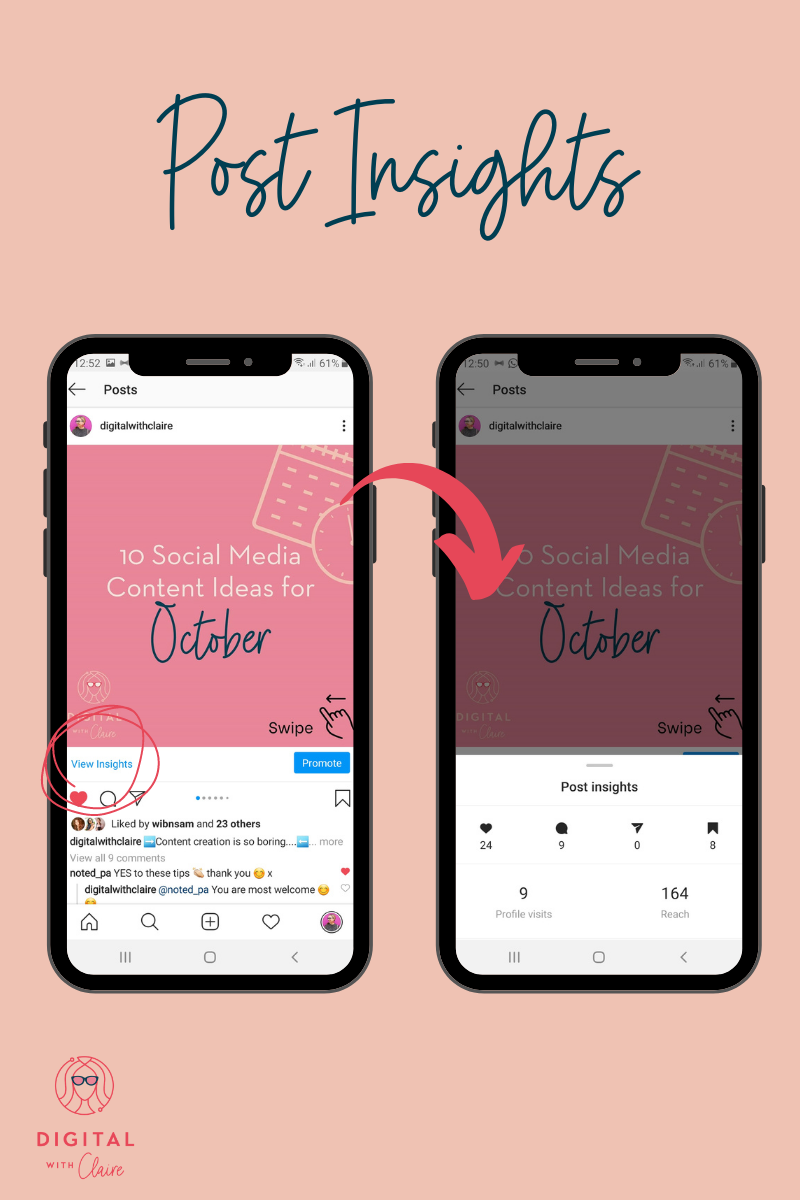
Finally, if you want to see what actions were taken for each your posts, go to your feed, select a post and click view insights, below your post, on the left.
On this page, you can see where impressions came from, including hashtags. The discovery data also tells you the share of people reached, who weren’t following you before. This can give some insight into the effectiveness of your hashtags.
How to use Instagram Insights to optimise your content
So now that you know your way around insights, how do you actually use them to optimise your content? Here are a few simple tips. Look at the top performing posts in the past 2 months and see it there are any trends:
-
If you see that a certain theme is performing well, post about that theme more often
-
If you see that a particular type of post or theme never gets as much interaction as others just scrap it from your content plan.
-
Are your videos, photos or carousels getting more interactions?
-
Look at the design of the top performing posts. Do they have text in the image? Are you featured in them? Does a certain colour dominate? Did you use a specific filter?
-
Check the captions. Is there a trend in their length, in the use of emojis, in the way they are structured, are there paragraphs?
-
What does the first sentence of the captions look like? Was it a question, a fact, a stat, a title, a point of view? Try starting more of your captions in that way.
-
Take a look at the call to actions you used in the top posts. Is there a trend? Do they feature a specific call to action? Start using that call to action in more posts.
As you see, if you dive deep into the details of your content you can learn a lot and apply it to your future posts.
Want help analysing your Instagram Insights and using it to plan your next content ? Get in touch to book a power hour.